
Wellbeing · Meditation community app
Mahaguru: a meditation place that travels with you.
Mahaguru brings a physical meditation centre into a mobile app — a daily practice that resets every morning, one-to-one guidance and live group sessions in the same quiet space.
Inside the app
Four screens, one practice.
Scroll to move through the app the way a member does — from the daily dashboard to a private session, into the group hall, and out to their own settings.
-
Screen 01 — Dashboard
The day, ready when they open it.
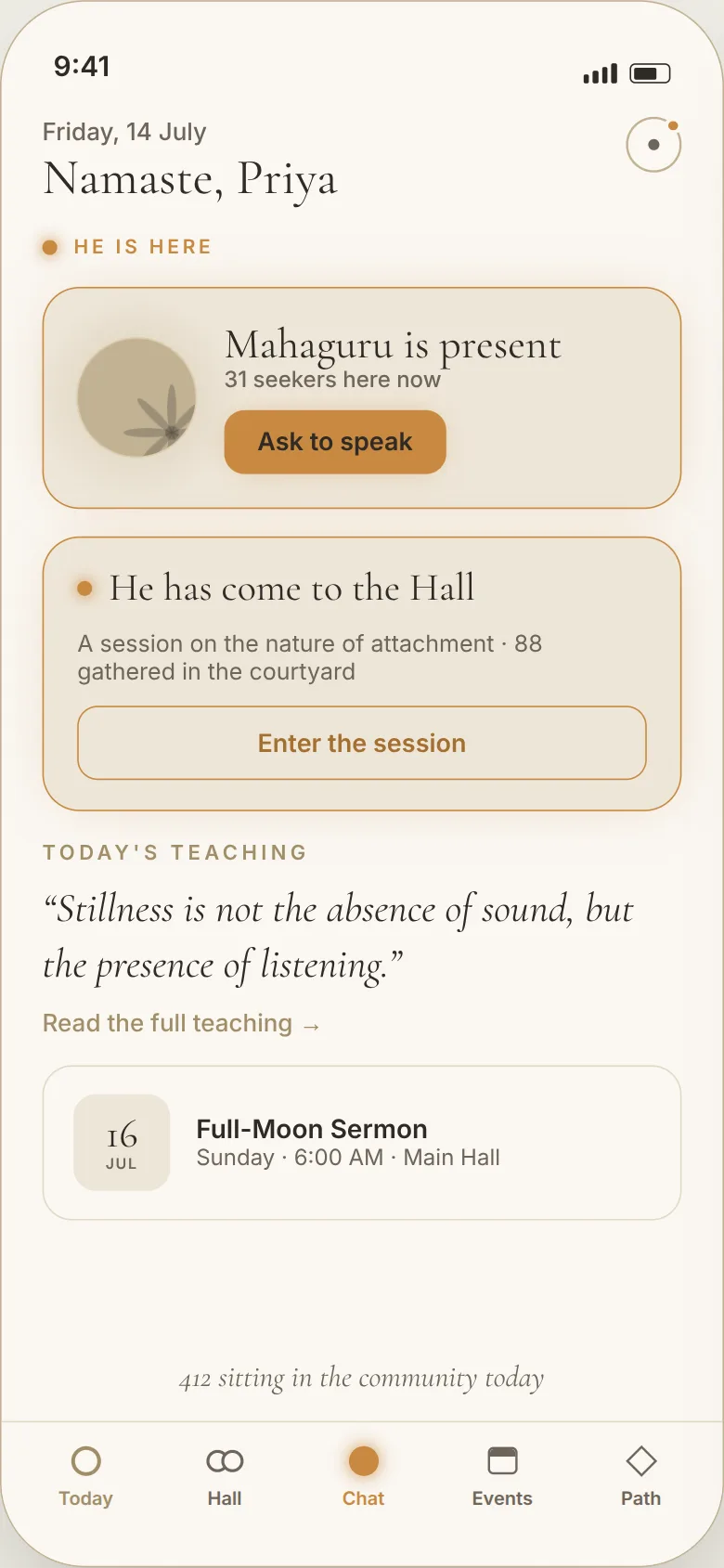
The home screen answers one question first — is the teacher here right now. Everything else on the day sits below it, in order of what a member would act on.
- Presence card“Mahaguru is present”, the live seeker count, and a single Ask to speak action.
- Hall bannerAppears only while a session is running, with the topic and how many have gathered.
- Today’s teachingThe day’s passage, reset each morning, opening into the full text or video.
- Next eventThe upcoming gathering with date, time and hall.
- Tab barToday, Hall, Chat, Events and Path — five destinations, always reachable.
-
Screen 02 — One-to-one
A private thread with the teacher.
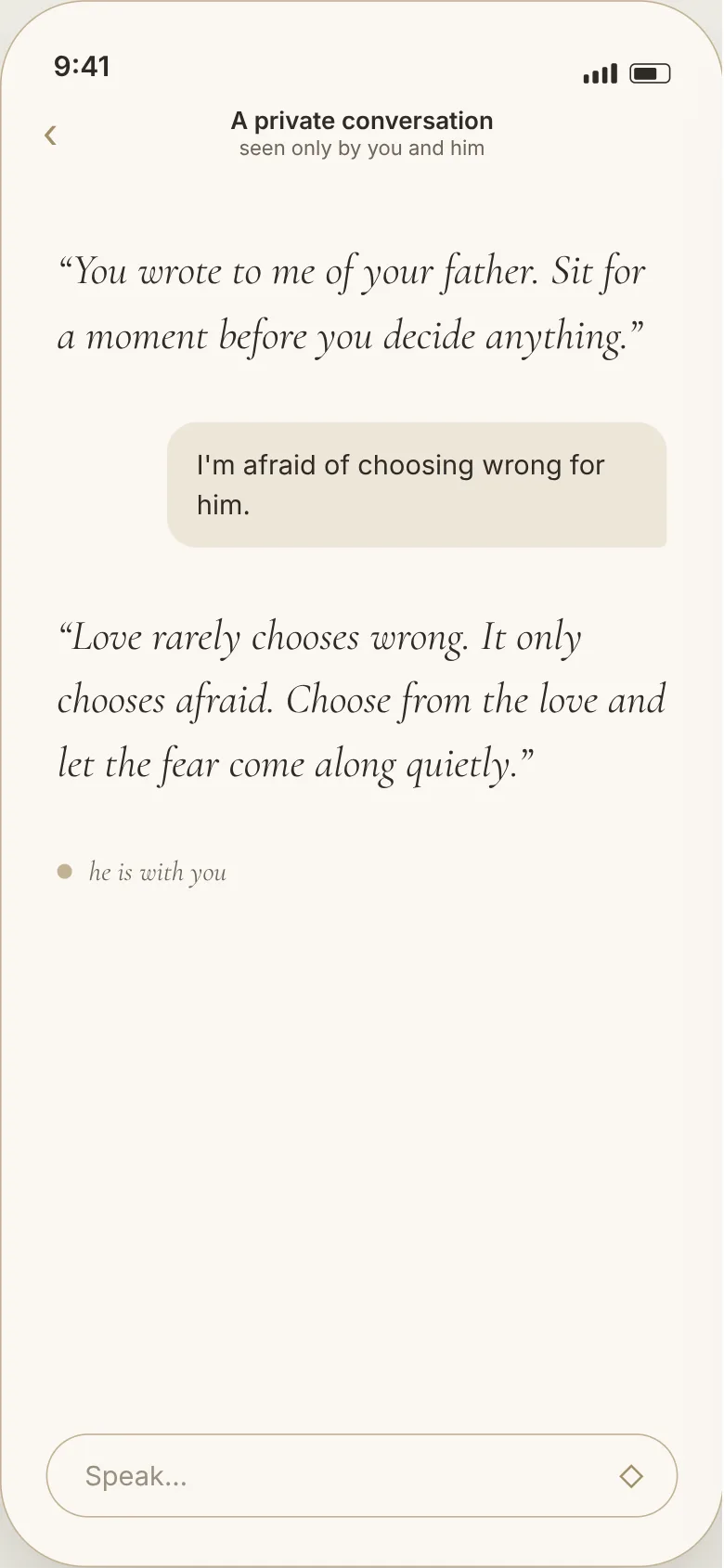
The private thread is deliberately bare — no feed, no reactions, no typing race. A member writes, and the reply arrives when it arrives.
- Live threadReal-time messaging on Firestore streams, private to the member and the teacher.
- Two voicesThe teacher’s words are set in serif, the member’s in plain type — who is speaking is never in doubt.
- Ask to speakRequested from Today, accepted by the teacher, which opens this thread.
- Presence lineA quiet “he is with you” marker instead of typing dots.
- Push notificationsFCM carries the reply back even when the app is closed.
-
Screen 03 — Group session
The hall, live and moderated.
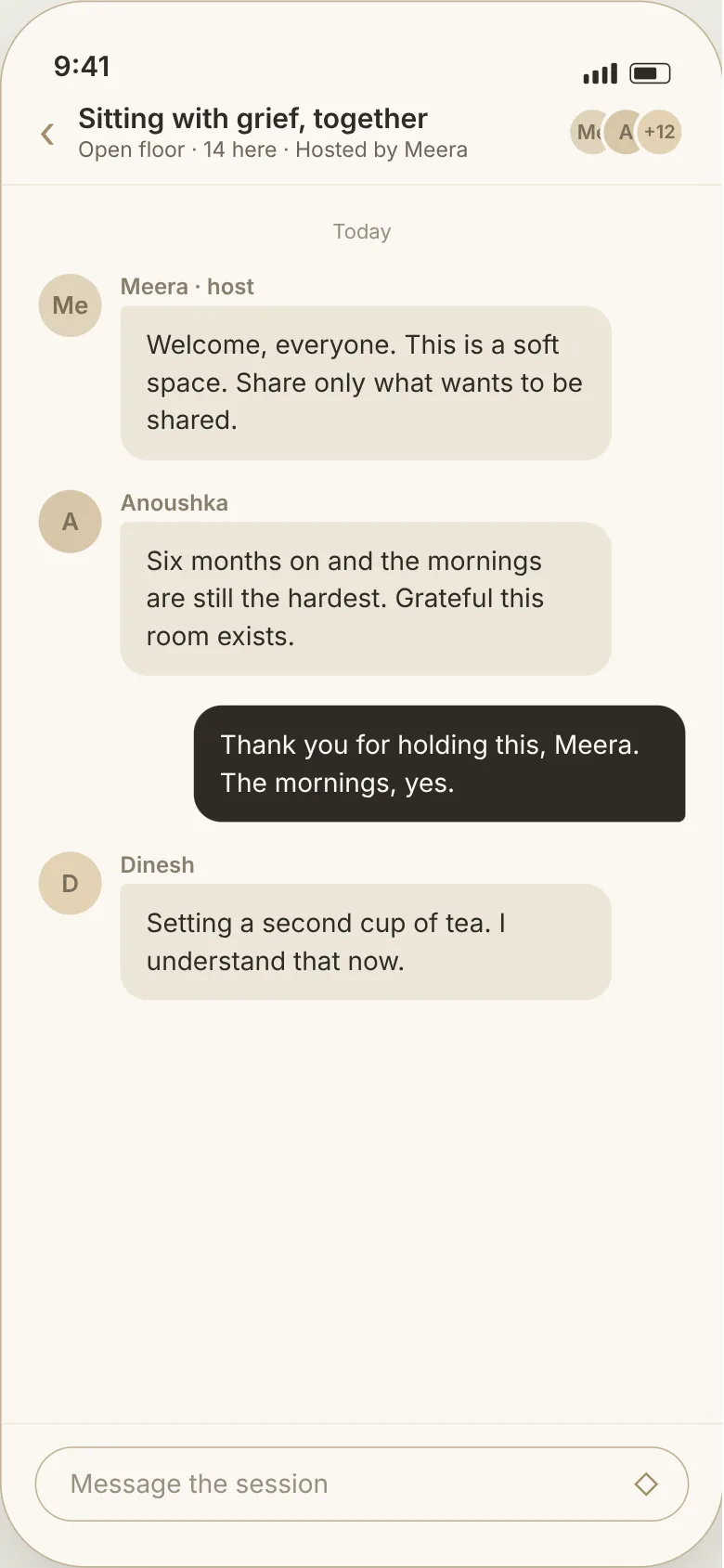
The Hall holds community sessions. Each room has a host, an open or moderated floor, and everyone gathered visible at the top.
- Session headerTopic, floor type, live headcount and who is hosting.
- Group threadNamed messages from everyone in the room, the member’s own set apart in dark.
- ParticipantsStacked avatars with an overflow count for the rest of the room.
- Raise handOn a moderated floor, listeners queue and the host invites them in.
- Host controlsMute, remove and invite, validated against host identity on the API.
-
Screen 04 — Settings
Their account, on their terms.
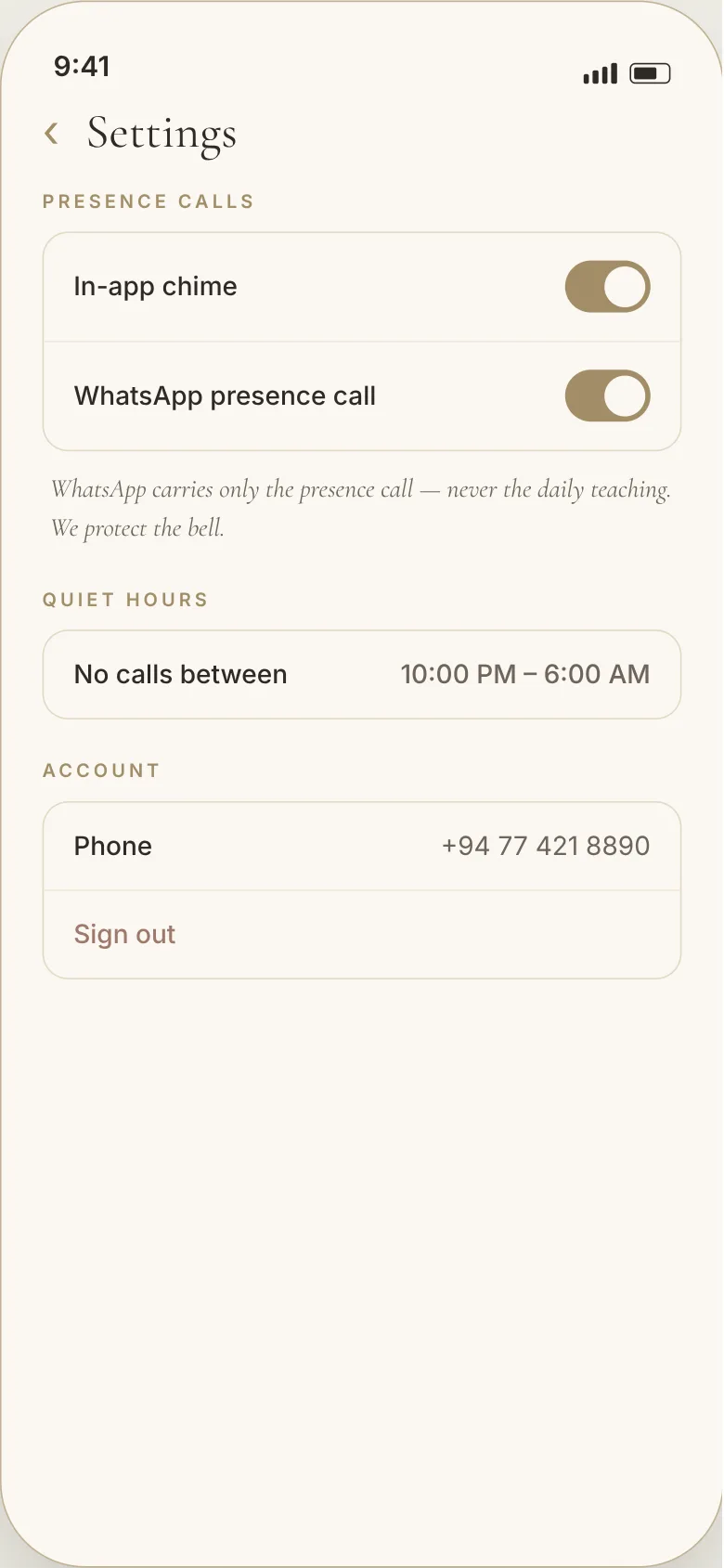
Settings is mostly about one thing: what the app is allowed to interrupt someone for. The teacher’s presence can ring; nothing else may.
- Presence callsIn-app chime and WhatsApp call, each switched on or off on its own.
- One promiseWhatsApp carries the presence call only — never the daily teaching.
- Quiet hoursA window where nothing rings, however live the centre is.
- AccountThe phone number the identity is built on, and sign out.
About the client
A meditation centre with members beyond its walls.
Mahaguru Center runs guided practice and teaching sessions for a community that had outgrown the room it meets in. Members wanted the same guidance between visits, and the centre needed a way to hold sessions without everyone travelling.
Objectives
Keep the practice daily, and keep it personal.
- Give every member a daily rhythm that resets on its own, without streak pressure.
- Make private guidance possible — direct chat, and live audio when words are not enough.
- Run group sessions for a whole hall at once, with a host who can moderate the room.
- Ship to both iOS and Android inside a three-month window.
Solution
One Flutter app over a real-time backend.
We built a single Flutter codebase in a layered architecture — services, repositories, controllers and UI kept separate — so features could land in parallel through the three-month schedule.
Most reads and writes go straight from the app to Firestore, guarded by security rules, which keeps chat, presence and the daily reset instant. Only the things that must not live on a device sit behind a small API: live-audio token minting and session moderation, both validated server-side.
Live group audio runs on Agora, push on FCM, media in Firebase Storage, and identity on phone OTP — so a member is one number away from their first session.
Stack
Chosen for speed, not novelty.
- Flutter — one codebase, two stores, one design system.
- Firebase — Auth (phone OTP), Firestore, Storage and FCM.
- MongoDB — content, teachings and session records on the service side.
- Agora — live group and one-to-one audio.
- Node API — token minting and host-verified moderation.